Subscribe: pinterest
Showing posts with label technology. Show all posts

Thursday, April 18, 2013

PowerPoint: What's the Point?

In an era where we are supposed to be promoting the use of technology, I have to admit that there is one tech tool that I just see as overused and poorly applied. It's PowerPoint.

When I taught instructional technology at Temple University, I devoted a few lessons to the appropriate usage of PowerPoint. I covered things like appropriate contrast between background and text, how to appropriately insert graphics, and how to properly use the animation tools. I often shared some more horrendous slides, like these and these.

When using PowerPoint correctly, it can support creating an engaging presentation with visual supports for the spoken word. Most of the time, though, I see PowerPoint presentations crammed with too much information and presenters read the slides instead of using them as a place to provide us with visual cues for their talk.

It is cases like these that my mind travels back to the classic film strips that I remember teachers showing in classes when I was younger. I was always really excited when the film strips would come out. These presentations combined audio and visual media and generally drew you into the presentation in the same way that a good PowerPoint presentation should.

The key to the good use of PowerPoint really does not lie in the technical skills of arranging slides and using transitions. So much of that is bells and whistles that draws away from the presentation. The true mastery of PowerPoint lies in creating enough visual information to help engage your listeners in your oral presentation.

One of the best ways to do that is to create an infographic. Believe it or not, these visual presentations of data are often produced in PowerPoint. With an infographic behind you on the screen, suddenly, you are able to tell your story in much greater depth. Your audience can explore the visualization of the infographic as you share with them your interpretation of what they see. There are even handy templates for building these infographics, such as this one.

So, what are you waiting for? Switch out your standard PowerPoint presentations for PowerPoint infographics.

Tuesday, January 22, 2013

Screening Screen Time

I had an interesting internal debate in my head the other day.

My wife and I have been very careful with how much "screen" time that we give our girls (ages 2 and 4 1/2) as we don't want it to become an electronic babysitter for us. Television viewing is limited mostly to weekends. In general, this strategy seems to work. Our girls don't go into shock when they are denied TV and have rich, imaginary play by themselves, with each other and with friends.

The one area of "screen" time that we limit less is the computer and the Wii. It's still not a free for all, but we've come to the conclusion that the interactivity offered by the educational games and websites are better for our daughters than just sitting passively in front of the TV, even if it is Sesame Street that they are watching.

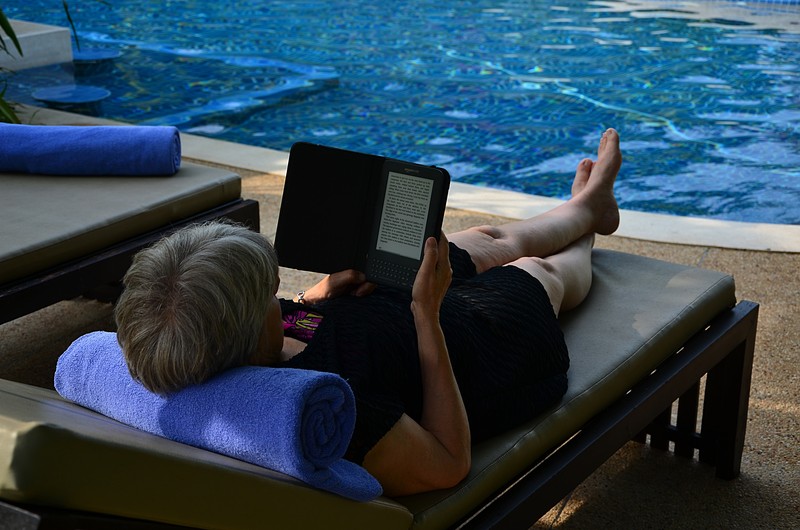
Recently, my older daughter saw that I was reading an e-book on my iPad. She knows that I have a few books that I've downloaded using the iPad's Kindle software that I can read to her. Of course, I agreed to read to her. This has introduced a new screen for her to stare at.

Here comes the internal debate part. Was this "screen" time? We don't keep a strict tally, but should I have limited her from later watching TV? Is it ok that I am exposing her to reading e-books? Should I be sticking to paper books for her? Or am I just being ridiculous? It doesn't matter what I'm using to read to my child; it's simply important to be reading.

Scholastic reported last week that more students are using e-book readers with almost half of the students questioned stating that they had read an e-book. Half of kids 9-17 even stated that they would read more if they had access to e-books. Sounds great, right?

But, I worry about eye fatigue and the impact that spending more time staring at a screen. In my role as a principal, I spend more time than I would like staring at a computer screen (I'm doing it right now). If I'm so concerned about my daughters' exposure to screens, should I be limiting my own reading of e-books? Or is it just important that I'm finding the time to read?

Tuesday, November 27, 2012

It's Everywhere or at Least It Should Be

Over the last few days, I've found myself trying to decide if the to do list app that I was using was the right fit for me. I knew that I needed one. I've been using task lists in various forms since high school and moved to electronic ones with a Sharp Wizard and then my Palm Pilot. With the often frenetic pace of work and home (welcome to life with two preschoolers), a task list helps keep me focused on what needs to be done and reminds me of the important things that need to happen. The behaviorist in me also recognizes that checking off each item in the list as the day progresses is doing a good job of reinforcing my behavior. In other words, my task list is my own personal behavior modification program.

I spent some time thinking about the different features that I was looking for, e.g. dividing tasks into lists, reoccurring tasks. Then, it struck me. The most important feature that I was looking for had nothing to do with what the app, website, or program could do, but where I could access it. What I really wanted was ubiquity.

Technological ubiquity is the idea that you should be able to access your data and the tools that you use from a variety of platforms, e.g. computer, phone. Just being able to work with data in one of these places is often not adequate enough as we may not be willing to run back to our desks to enter information and, for example, there is a limit to how much information we want to enter into a mobile phone.

In my case, technological ubiquity means being able to see and edit my tasks on my Android phone, iPad, and desktop which meant needing a service that had Android and iOS apps as well as a website that I could access from my computer. Needing access through three different platforms probably made things complicated, but I wasn't about to run out to change my phone based upon a search for a task application.

For me, technological ubiquity has become a key factor in assessing a potential technology tool and one of the first questions that I will be asking is where can I use this. After this question of access is answered, then I can start looking at whether the feature set works for me.